Smart Sleep Coach by Pampers Is Shutting Down. Here Are the Best Alternatives
Smart Sleep Coach by Pampers switches off on November 30, 2026. If your baby's naps, wake windows and sleep plan live inside it, this guide covers what happens to your subscription, how to save your data, and which apps can take over without losing your baby's rhythm.

Switching from Smart Sleep Coach? Hushly is the closest match: nap predictions from your baby's own rhythm, plus gentle sleep training plans. Free to download.
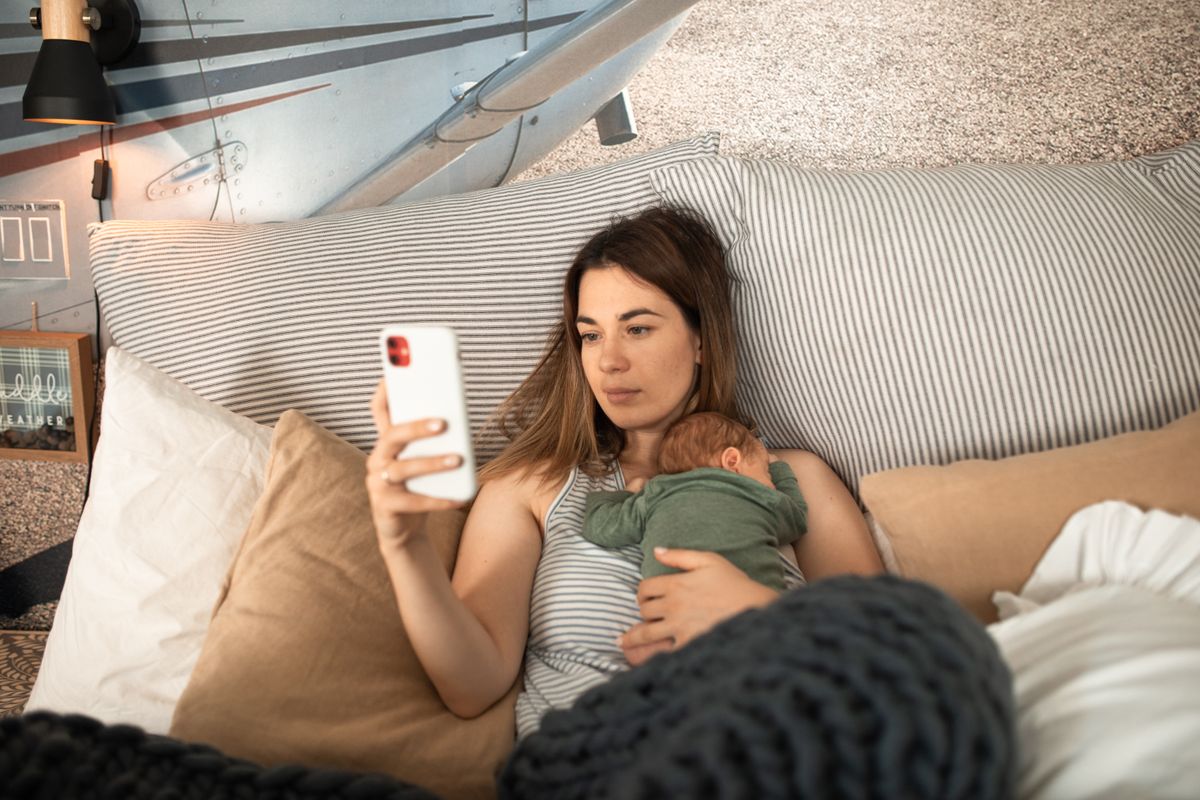
Photo via Pexels
Smart Sleep Coach by Pampers was one of the better-known baby sleep apps of the last few years: a Procter & Gamble product with a real pediatric advisory team, an auto-adjusting nap schedule, and a sleep-training program behind a subscription. In 2026 it is being wound down. The iPhone listing has already been pulled from the App Store, and the company's own closure page gives a hard end date.
If you are one of the parents who built a routine around it, that is genuinely annoying. Your baby's wake windows and nap times do not care that a corporate app is closing. The good news is that the schedule itself is yours, and moving it to another app takes a few minutes if you do it before the shutdown. Here is everything you need to know.
What is happening to Smart Sleep Coach
Pampers has published a closure notice on the Smart Sleep Coach website. The key points, taken from that page:
- Final day: November 30, 2026. The app stays available until the end of that day (US Eastern time). From December 1, 2026 the whole app becomes inaccessible, including your logs and your schedule.
- No new charges. Pampers says it has proactively stopped all auto-renewals, so you will not be billed again.
- Automatic pro-rated refunds. If you have an annual subscription with time left beyond November 30, 2026, a pro-rated refund is issued automatically. You do not need to request it, though processing times vary.
- All features keep working until the end. Nothing is being switched off early. Your schedule, tracking and content work as normal until the final day.
- The iOS app is already delisted. Apple's public app lookup returns no result for Smart Sleep Coach in the US or UK store. If you delete it from your iPhone or get a new phone, you cannot reinstall it. The Android listing on Google Play was still live when we checked in early October 2026.
If you see the app called "Pampers Sleep Coach" or "Smart Sleep Coach" in different places, it is the same product. The formal name is Smart Sleep Coach by Pampers, and all of it is closing on the same date.
What to do before November 30
Three small jobs, in this order. The whole thing takes under ten minutes.
1. Export your sleep data
Smart Sleep Coach lets you download your tracked sleep as weekly and monthly data. In the app, go to the Progress screen, open the Patterns view, and use the download option there. Save the files somewhere you will find them again, like your notes app or a cloud folder.
Even if you never open those files, having them means your baby's history is not lost. A few months of nap times is a surprisingly useful thing to be able to glance at when a regression hits or your pediatrician asks how sleep has been going.
2. Screenshot the schedule and the plan
The export covers logs, not the schedule itself. So take screenshots of:
- today's recommended schedule (nap times, wake windows, bedtime),
- any sleep-training plan or step you are currently on,
- your baby's profile details, such as the age-based settings the app chose.
Those three screenshots are what you will use to set up the next app so it starts from where you are, not from scratch.
3. Check your billing
Pampers says auto-renewals are stopped and annual refunds are automatic. Still, it is worth a two-minute check:
- Subscribed through the iPhone app: look under your Apple ID subscriptions. The subscription should show as not renewing. If a refund has not appeared a few weeks after November 30, request it through Apple's refund page, since Apple holds the billing relationship.
- Subscribed through Google Play: check Play subscriptions and order history in the same way.
- Subscribed on the website: the Smart Sleep Coach support desk is still operating and has a dedicated "Closure & Refunds" section.
What made it work, and what to look for in a replacement
It helps to be honest about what Smart Sleep Coach did well, because that is what you are trying to replace.
The standout feature was the auto-adjusting schedule. Instead of a static chart, the app took your baby's logged sleep and shifted the next nap and bedtime in real time. For parents who found printed wake-window charts impossible to follow, that was the whole reason to pay. The expert content was solid and cautious about safe sleep. And the sleep-training program was gentle in tone and did not push a single method.
The recurring complaints were just as consistent: it needed a lot of manual logging to stay accurate, the subscription felt expensive for what it was, and when a baby's situation was unusual the advice got generic.
So when you pick a replacement, look for these specific things rather than a long feature list:
- Predictions from your baby's own data, not an age chart. A good app should tell you when the next nap is likely, and update that estimate as the day unfolds. Our guide to wake windows by age explains why the "right" window moves so much from one baby to the next.
- A reminder before the overtired window, because the hard part of a schedule is noticing the moment, not knowing it exists.
- Fast logging. If it takes more than two taps to start a sleep at 3 in the morning, you will stop doing it, and the predictions will drift.
- A sleep plan that flexes, through teething, regressions and travel, instead of a PDF you read once. See baby sleep training methods for how the approaches differ.
- Sharing with a partner. One of the hidden costs of a solo tracking app is that one parent becomes the only person who knows when the baby last slept. We wrote about this in the mental load of baby tracking.
- A developer that is going to be around. Which is the painful lesson of this whole episode.
The best Smart Sleep Coach alternatives in 2026
These are the apps we would actually point a Smart Sleep Coach parent toward, with an honest note on who each one suits. Prices are from the US App Store in-app purchase lists in October 2026 and will differ by country.
| App | Best for | Nap prediction | Sleep training plans | Price (US App Store, Oct 2026) |
|---|---|---|---|---|
| Hushly | The closest match to the auto-adjusting schedule, with a full tracker | Yes, from your baby's own logs (Magic Window) | Yes, from no-cry to Ferber-inspired | Free to download; Premium costs less than the paid tiers here |
| Huckleberry | Parents who want the biggest tracker and long history | Yes, on paid tiers (SweetSpot) | Paid plans and expert tiers | Plus $58.99 to $68.99/yr, Premium $119.99/yr |
| Napper | A warm, schedule-first nap app | Yes, schedule-based | Light | Sleep $89.99/yr; Unlimited $69.99/yr on napper.app |
| Little Ones | A structured program with human support | Schedule-led, less data-driven | Yes, full programs | $119/yr; programs $49.99 to $89.99 |
| Nanit / Owlet | Parents who mainly want a monitor | Partial, via the device | No | Hardware plus plans from $100 to $299.99/yr |
Hushly
Hushly is our app, so take this paragraph with that in mind. We built it to do the one thing Smart Sleep Coach parents say they will miss most: a schedule that adapts itself. Hushly learns your baby's rhythm from the sleeps you log and predicts the next sleep window, which we call the Magic Window, down to the minute. You get a full-day forecast of naps and bedtime in the morning, live estimates that update after each sleep, and a gentle nudge before the overtired window opens.
On top of the predictions there are step-by-step gentle sleep training plans matched to your baby's age, from no-cry and gradual retreat to a Ferber-inspired approach, that keep adjusting through regressions and growth spurts. And the tracker covers the whole day: sleep, feeds, nursing, solids, diapers, pumping, growth, medicine and more, in one timeline you can share with a partner, grandparents or a babysitter, in 11 languages.
Two honest limitations. Hushly does not read the Smart Sleep Coach export file yet, so you will start with a fresh log (the switching steps below show how to get the first prediction within a day). And it is built by a small team led by a parent, not a multinational, which cuts both ways: no corporate shutdown decisions, but also no TV ads.
Huckleberry
Huckleberry is the biggest name in baby tracking and a reasonable choice if what you valued was the logging side of Smart Sleep Coach. The free tier is a capable tracker. The nap prediction feature, SweetSpot, and the sleep plans sit behind the paid Plus and Premium tiers, which are at the pricier end of the category. It is logging-heavy by design, so it suits parents who do not mind tracking everything. We compare the field in more depth in our Huckleberry alternatives guide.
Napper
Napper focuses on one job: a nap schedule for your child, presented warmly, with caregiver sharing included. Its predictions are led by age-based schedules more than by your own data, and the paid plans land in the same range as the rest of the category once you look past the first offer. The trade-off is less depth on sleep training and a lighter tracker. See our Napper alternatives guide for the full comparison.
Little Ones
Little Ones is less an app and more a program with an app attached. It is the one in this list that talks most directly to the tired parent rather than to the baby, and it includes human support. It is the most expensive of the group and is schedule-led rather than prediction-led, so it suits parents who want to follow a plan more than they want data. More in our Little Ones alternatives guide.
Nanit and Owlet
If what you actually want is to watch your baby sleep, a smart monitor is a different product category. Nanit and Owlet both offer sleep insights tied to their hardware, but neither replaces a schedule app or a sleep-training program. Most parents who liked Smart Sleep Coach will want one of the apps above, with or without a monitor. If you are weighing the camera itself, start with our Nanit alternatives guide.
How to switch to Hushly in 10 minutes
Here is the exact sequence we recommend, so your baby's rhythm carries across without a gap.
- Export and screenshot in Smart Sleep Coach as described above: Progress, then Patterns, then download. Screenshot today's schedule and your current plan step.
- Download Hushly and add your baby. Name and date of birth are enough. Hushly uses the birth date to frame sensible wake windows from day one, then replaces those defaults with your baby's real pattern as you log.
- Invite your partner. Everyone who helps with the baby sees the same live timeline, so nobody is texting "when did she last nap?" at the handover.
- Log today's sleeps, and yesterday's if you remember them. Use your screenshots. Each sleep is a start time and an end time, nothing more. The first Magic Window appears as soon as there is a sleep in the log, and the predictions sharpen over the first week.
- Pick a sleep-training approach, or none. If you were partway through the Pampers program, choose the Hushly plan that matches the method you were using and tell it which step you are on. If you were only using the schedule, skip this entirely.
- Turn on reminders. The nudge before the overtired window is the feature that quietly does most of the work.
That is it. Your baby's wake windows did not change because a subscription ended, and within a few days the predictions will reflect the same rhythm Smart Sleep Coach was tracking. If your baby is heading into a nap transition during the switch, our guide to baby nap transitions covers what to expect so you do not blame the new app for a normal developmental bump.
One last thing. No sleep app, ours included, is a medical device. If your baby snores, pauses in breathing, sweats heavily during sleep, or is not gaining weight well, that is a conversation for your pediatrician before it is an app decision. And safe-sleep rules outrank any schedule: on the back, on a firm flat surface, with nothing loose in the crib, every sleep.
Pick up where Smart Sleep Coach left off
Hushly predicts your baby's next nap from their own rhythm, reminds you before the overtired window, and includes gentle sleep training plans. Free to download.
Frequently asked questions
Is Smart Sleep Coach by Pampers shutting down?
Will I get a refund for my Smart Sleep Coach subscription?
How do I export my data from Smart Sleep Coach?
Can I still download Smart Sleep Coach?
Is Pampers Sleep Coach the same app as Smart Sleep Coach?
What is the best Smart Sleep Coach alternative?
Can Hushly import my Smart Sleep Coach data?
More baby sleep app comparisons
- Huckleberry Alternatives: Huckleberry is the biggest baby tracker, but SweetSpot sits behind a subscription. The apps worth switching to, and how to bring your data with you.
- Napper Alternatives: Napper does one job well. If you need a full tracker, predictions from your baby's own data, or a sleep plan, here are the apps to look at, with US prices.
- Little Ones Alternatives: Little Ones sells a structured program at $14.99 a month. Here is why parents look elsewhere, what to look for, and the apps that adapt to your baby instead.
- Baby Tracker (Nighp) Alternatives: Baby Tracker by Nighp is a dependable log at a one-off price. What it does not do, why parents move on, and the apps that add predictions and plans.
- Glow Baby Alternatives: Glow Baby is a capable tracker wrapped in ads, upsells and a daily log cap. The apps that do the job without the noise, with US prices.
- Nanit Alternatives: Great camera, pricey subscription. The honest roundup of Nanit alternatives: app-only sleep tracking, plus the monitor options if you still want one.

Huckleberry Alternatives
Huckleberry is the biggest baby tracker, but SweetSpot sits behind a subscription. The apps worth switching to, and how to bring your data with you.
Napper Alternatives
Napper does one job well. If you need a full tracker, predictions from your baby's own data, or a sleep plan, here are the apps to look at, with US prices.
Little Ones Alternatives
Little Ones sells a structured program at $14.99 a month. Here is why parents look elsewhere, what to look for, and the apps that adapt to your baby instead.